
Vlieglocaties
Verboden en beperkte UAS-zones in Tsjechië
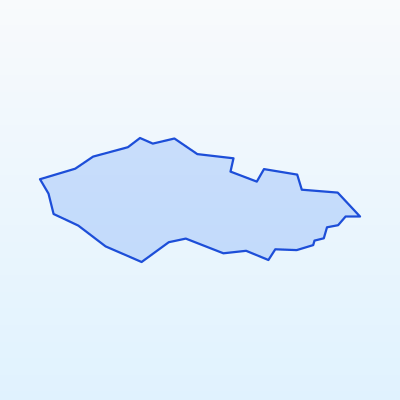
Belangrijkste feiten
Max. hoogte
120 m
Afstand tot steden
≥ 150 m
Vluchtmodus
VLOS
Voor de vlucht
Geo-zones kaart
Aerodrome zones
Invloedszones grote luchthavens
Prague
Capital FRZ
Brno
Moravia hub
Ostrava
Industrial region
Karlovy Vary
Western FRZ
Pardubice
East Bohemia
Main aerodromes and their impact zones. Around each aerodrome the geo-zone map marks FRZ and CTR areas. Flying there without permission is prohibited.
- Prague (PRG) — Capital FRZ
- Brno (BRQ) — Moravia hub
- Ostrava (OSR) — Industrial region
- Karlovy Vary (KLV) — Western FRZ
- Pardubice (PED) — East Bohemia
Military and security zones
In Tsjechië UAS flights are prohibited or strictly restricted in:
- Military training areas and bases
- Border protection strips
- Seaports and strategic facilities
- Protected government sites
These zones are marked on the geo-zone map as prohibited (red) or restricted (amber).
Nature protection and reserve zones
Flights in nature areas may be restricted to protect wildlife:
- National parks (Šumava, Krkonoše, Bohemian Switzerland) — permission may be required
- Strict nature reserves — flights often prohibited
- Ramsar wetlands and bird protection areas
- Nesting and migration sites during sensitive seasons
Contact park administration or check official rules before flying over nature sites.
How to check zones before flying
Kleurengids geo-zones
Verboden
UAS-vlucht zonder speciale toestemming verboden
Beperkt
Toestemming of NOTAM-controle vereist
Gevoelig
Natuurreservaten, grenzen, infrastructuur
Open (regels gelden)
Open categorie A3 bij afstand & hoogte
Recommended verification sequence:
- 1Open the official Tsjechië / EU UAS geo-zone map
- 2Enter flight coordinates or mark the area on the map
- 3Review colour coding: red = prohibited, amber = restricted, blue = sensitive
- 4Check NOTAM notices for temporary restrictions
- 5If a zone is restricted — contact the competent authority for permission
- 6Record the check date and result in your flight log
SkrisT recommends using only official sources — geo-zone data may change.